How to Host A Tile Server
Published on
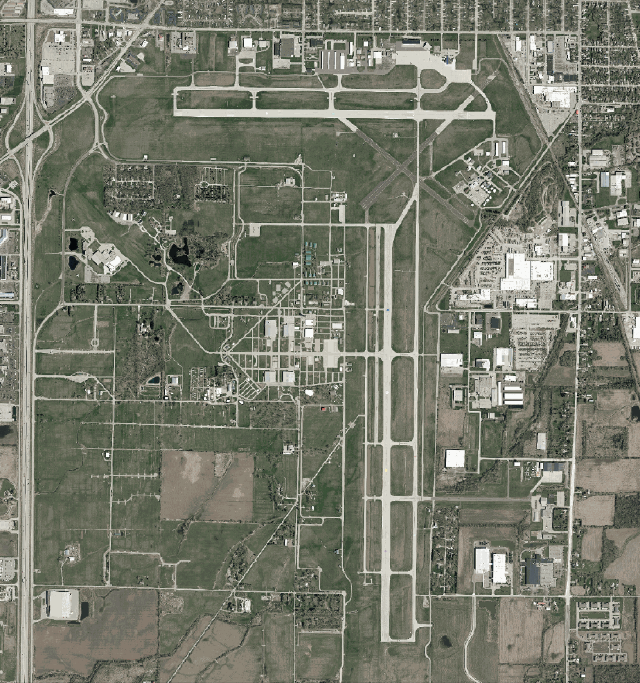
My friends and I volunteer at the Oshkosh airshow, and we were planning on making some GIS overlays for the area to help our operations. To aid in this, we had planned to pull in the county aerial imagery. However, the county GIS department doesn’t actually publish the aerials as a tile server, but as a single file, which you then have to do something with. This file was about 50GB (which while large, is actually pretty small for an aerial!), and not exactly the most portable thing in the world. Thus began my quest to set up my own raster tile server.
Part I: MrSID Conversion
The files I got from the county GIS department were zipped MrSID (pronounced “Mister Sid”) files. MrSID is a proprietary image format made by LizardByte/Extensis, and actually originates from Los Alamos National Laboratory. Allegedly, this same format is used by the feds for storing fingerprints, if the internet is to be believed. MrSID stands for Multi-Resolution Seamless Image Database, which is a pretty apt description of what it is. Effectively, MrSID is a “database” of smaller blocks of images that can be stitched together to generate however big of an export image you’d like. It also doesn’t require you to read the whole file to get a subset of it - so for example, if you wanted 20mb of the image, you don’t have to load all 50G into memory.
Despite all of the benefits, it is a proprietary format, and Extensis has a patent on it. Unfortunately the options for open-source tools for manipulating MrSID files are slim to none. While GDAL (basically the ffmpeg of GIS) supports MrSID, as far as I can tell you can’t get any official GDAL builds with MrSID support due to the aforementioned IP problems. On top of this, from some reading on the internet, MrSID is relatively compute intensive to decode versus a more pedestrian format such as GeoTIF.
So I figured my first step was going to be converting the MrSID to a GeoTIF. This was a very long and compute-intensive process that took about 4-6 hours. I also compressed to JPEG while I was at it. I had tried the conversion at first without JPEG compression, and the output file was about 10x as big as the input file - so the 50G MrSID created a ~470G GeoTIF. Enabling JPEG compression dropped the file size to roughly that of the input file, maybe a few percent larger. The command I ended up using was:
gdal_translate -of GTiff -co GDAL_CACHEMAX=8192 -co COMPRESS=JPEG -co TILED=YES -co PHOTOMETRIC=YCBCR -co BIGTIFF=YES input.sid output.tif
The GDAL_CACHEMAX option increases the RAM limit which theoretically should speed up the conversion, and BIGTIFF was required for, well, large TIF files.
Part II: GeoServer
Once I had the converted GeoTIF, I searched for an actual tile server to serve it. I had first landed on GeoServer. It seems to be a well-featured Java tile server. After playing with it for a bit, I came upon the following conclusions:
- It has too many features for what I need (it can serve all kinds of tiles, create layers, perform AAA, etc). I just need to serve tiles.
- Having an administrative web GUI is, in my opinion for this use case, both useless and a security vulnerability. I would rather manage the tile server through config files and the command line.
- Java is, in my opinion, significantly less preferrential to a native or native-esque language such as C, Go, etc., especially for high performance applications such as tile serving. I’m not saying this to clown on Java, but objectively a lower level language will perform better.
This led me down a new path: MapServer.
Part III: MapServer
MapServer is a C-based CGI tile server. It’s simultaneously fairly powerful and fairly simple. There is no administrative UI, and configuration is done through configuration files. To set it up, I used fastcgi and nginx, and while some documentation was out-of-date I was still able to get it configured. For testing, I had configured nginx to fcgi_pass the incoming requests to a random local port, and then started fcgi by:
MAPSERVER_CONFIG_FILE=/location/of/testconf spawn-fcgi -a 127.0.0.1 -p 9999 -F 4 -P ./mapserver.pid /usr/bin/mapserv
Once launched I was able to hit the nginx server and receive replies from the map server. Neat!
Part IV: Optimization
There’s just one problem. As it stands, a 50GB GeoTIFF loaded into MapServer will not generate tiles within a reasonable amount of time (>5 minutes). For this, we need something called an Overview.
At their core, GeoTIFFs are just HUGE TIF images with special metadata. If we had, let’s say, a GeoTIFF of an entire perfectly square county, we might have a 250,000x250,000 pixel image. However, you are almost guaranteed to not want all of that data at the same time - let’s say maybe you just want to scope out a local mall from a 1000x1000 pixel viewport. That’s not just 250x smaller, it’s actually more than 60,000x smaller, because while the perimeter goes up 250x, the area goes up exponentially. If we’re looking at a zoomed-out area, we really don’t want to have to load the entire image into memory, then downsample the image by ~60,000x. Overviews help here: they are pre-rendered, zoomed-out images to speed up serving - well, overviews - of the GeoTIFF. With an overview, I can use the pre-rendered lower-resolution image to offload the computation and disk access to a one-time action when I am setting the map up, rather than at every tile request. This however comes at the expense of storage. Overviews will generally add another ~10-20% of the space of your existing GeoTIFF. For most deployments, this is a non-issue.
To actually generate the overviews, I used this command:
sudo gdaladdo -r average -ro --config COMPRESS_OVERVIEW JPEG --config USE_RRD NO --config JPEG_QUALITY 80 --config TILES yes --config PHOTOMETRIC_OVERVIEW=YCBCR --config GDAL_CACHEMAX 10240 <input>.tif
Again, as in the MrSID section, I specified to use JPEG compression in YCbCr, and increased the RAM limit. There’s another important flag here: -ro. When generating overviews, you have two options: bake them into the original file (a destructive operation), or to put them next to the original file in a .ovr file. Specifying -ro will net us the second option, placing the overview next to the original GeoTIFF. I elected to use a secondary file as it gave me more flexibility if I wanted to change the overviews later, and to not touch the “gold copy” of the GeoTIFF (which would take a long time to re-download and re-convert from MrSID if I needed to). And to my surprise, despite not touching my original file at all, it just automatically finds the overview. The trick is that the GeoTIFF driver will look for a file with the same name as the original GeoTIFF with the extension .ovr. So, in order for the overlay for my GeoTIFF my_awesome_map.tif to be found, the overlay needs to be called my_awesome_map.tif.ovr. With the overlay generated, it only takes a few seconds for the tiles to be rendered.
Part V: MapProxy
MapProxy is another piece of the puzzle here. In this case, I’m using it for both proxy and general serving. MapProxy is able to call MapServer directly without the need for another CGI server. Nice! Plus, it’s able to cache parts of the map, so you don’t have to re-render tiles, although I think this is a little redundant in my case since it all comes from the same SSD. Oh well.
However, MapProxy has a few more tricks up its sleeve. For one, I’m able to take multiple tilesets and overlay them on each other - so for example, I could take multiple county aerials and merge them into one larger layer. It also serves WMS and WMTS tiles for easy integration with other GIS applications. I just had to add the source to my configuration:
  local_tiles:
    type: mapserver
    req:
      layers: aerial_2025
      map: /opt/mapserver/local_tiles.map
      transparent: true
And with a reload of MapProxy, I can fetch tiles from the server!